Creeper Skin Kit: Difference between revisions
Created page with "{{Item Info | name = Creeper Skin Kit | id = rsk_creeper_kit | color = #FFD700 | image = rsk_creeper.png | type = Tool | available = Survival | origin = Skin Kits | level = Level 10 Skin Kit | quality = {{Item Quality | quality = Regular}} | desc = A tool that can be used to apply a Creeper skin to your tools. }} The Creeper Skin Kit is a tool..." |
mNo edit summary |
||
| Line 21: | Line 21: | ||
{{Information Skin Kits | {{Information Skin Kits | ||
| skin_name = | | skin_name = Creeper | ||
| creator_name = Reclade | | creator_name = Reclade | ||
}} | }} | ||
Latest revision as of 14:41, 1 February 2026
ID: rsk_creeper_kit
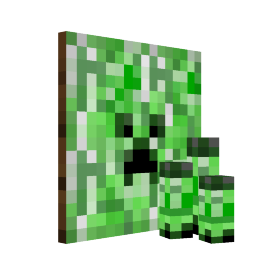
The Creeper Skin Kit is a tool item that allows the user to apply a skin of the same name to a Modifiable Tool using /modify skin
Obtaining
Supporter Tokens
The Creeper Skin Kit can be purchased from the Supporter Tokens system for 1 token.
Usage
Command
The Creeper Skin Kit can be used by holding the kit in your off hand, and a Modifiable Tool in your mainhand, and then typing /modify skin
Item Frame
For decorative purposes, the Creeper Skin Kit can be placed on an Item Frame that is placed on the ground to make the kit stand upright.
Removal
Skins can be removed from any tool using the 1x  Skin Kit Removal Tool item, by holding the Skin Kit Removal Tool in your offhand and holding the skinned Modifiable Tool in your mainhand, and then typing /modify remove, the item will drop on the ground upon success. - Alternatively, apply another Skin Kit using the /modify skin command, and the previously applied Skin Kit will drop on the ground.
Creator
The Creeper Skin Kit was created by  Reclade
Tool Variants
| Tool Skin Previews | |||||||
|---|---|---|---|---|---|---|---|
 |
 |
 |
 |
 |
 |

|

|
| Wooden Sword |
Stone Sword |
Copper Sword |
Iron Sword |
Golden Sword |
Diamond Sword |
Netherite Sword | |
 |
 |
 |
 |
 |
 |

| |
| Wooden Pickaxe |
Stone Pickaxe |
Copper Pickaxe |
Iron Pickaxe |
Golden Pickaxe |
Diamond Pickaxe |
Netherite Pickaxe | |
 |
 |
 |
 |
 |
 |

| |
| Wooden Axe |
Stone Axe |
Copper Axe |
Iron Axe |
Golden Axe |
Diamond Axe |
Netherite Axe |
Mace |
 |
 |
 |
 |
 |
 |

| |
| Wooden Shovel |
Stone Shovel |
Copper Shovel |
Iron Shovel |
Golden Shovel |
Diamond Shovel |
Netherite Shovel | |
 |
 |
 |
 |
 |
 |

| |
| Wooden Hoe |
Stone Hoe |
Copper Hoe |
Iron Hoe |
Golden Hoe |
Diamond Hoe |
Netherite Hoe | |
 |
 |
 |
 |
 |
 |

| |
| Wooden Spear |
Stone Spear |
Copper Spear |
Iron Spear |
Golden Spear |
Diamond Spear |
Netherite Spear | |
History
| Changelog | |||
|---|---|---|---|
| Date | Season | Version | Change |
| February 1, 2026 | Season 1 | 1.21.11 |   Added Creeper Skin Kit Added Creeper Skin Kit |